
Free on Google Play · Android 10+

Scan to PDF.
Nothing leaves your phone.

Zx Scanner turns paper into clean PDFs — and does every bit of it on your phone. No internet permission, no ads, no account. Your marksheet, your Aadhaar, your bills: they stay with you.

com.zx.scanner · Free, with an optional Premium plan · Made in Indore, India

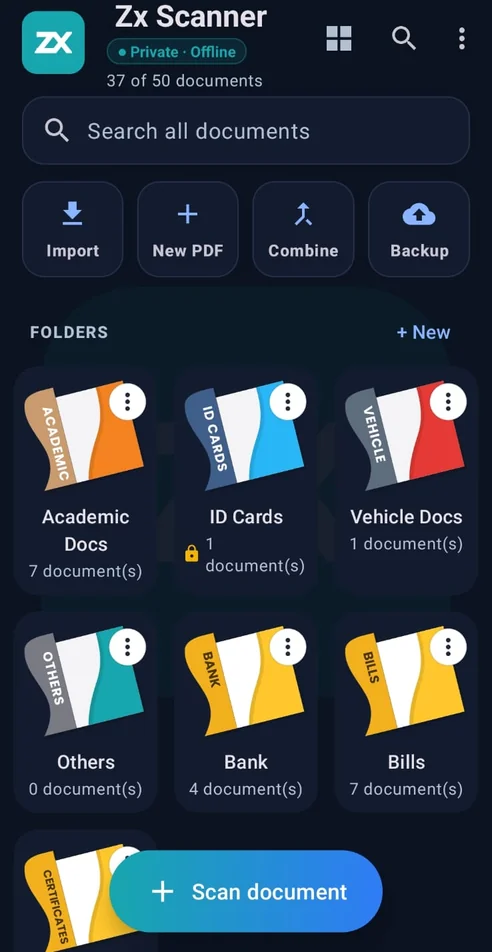
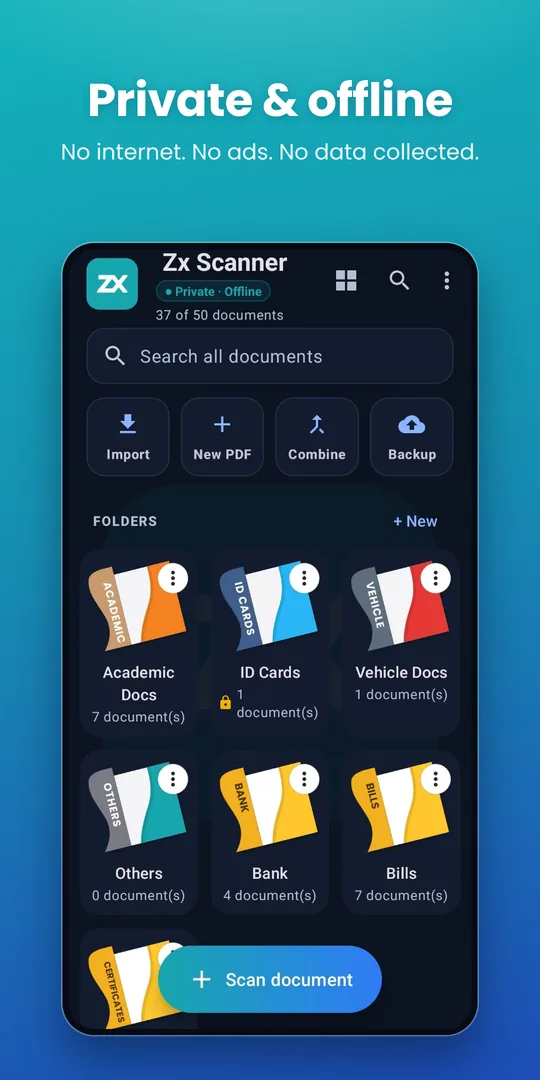
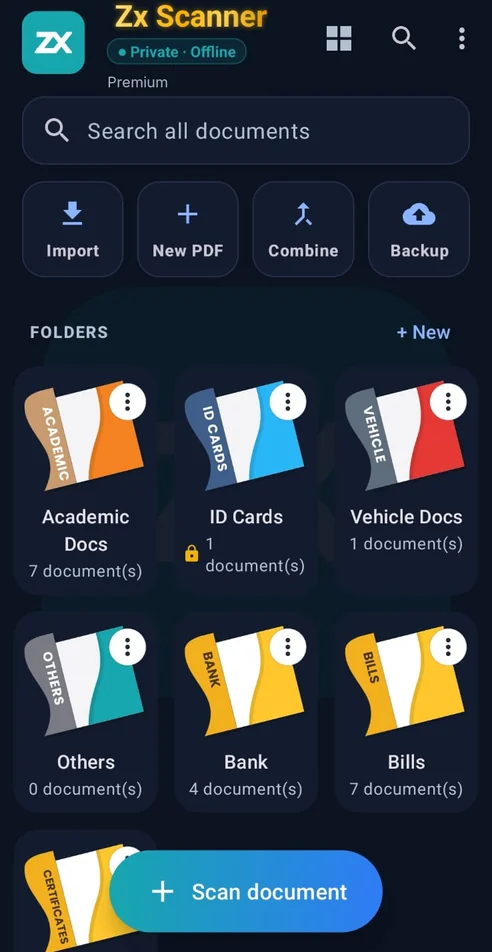
Zx Scanner home screen: folders, search and the Scan document button
  • No internet permission
  • No ads, ever
  • No account, no sign-up
  • Files stay on your phone
What it does

Everything a scanner app should do — and nothing it shouldn't.

Items marked P are part of Zx Premium. Everything else is free, with no page or time limits on scanning.

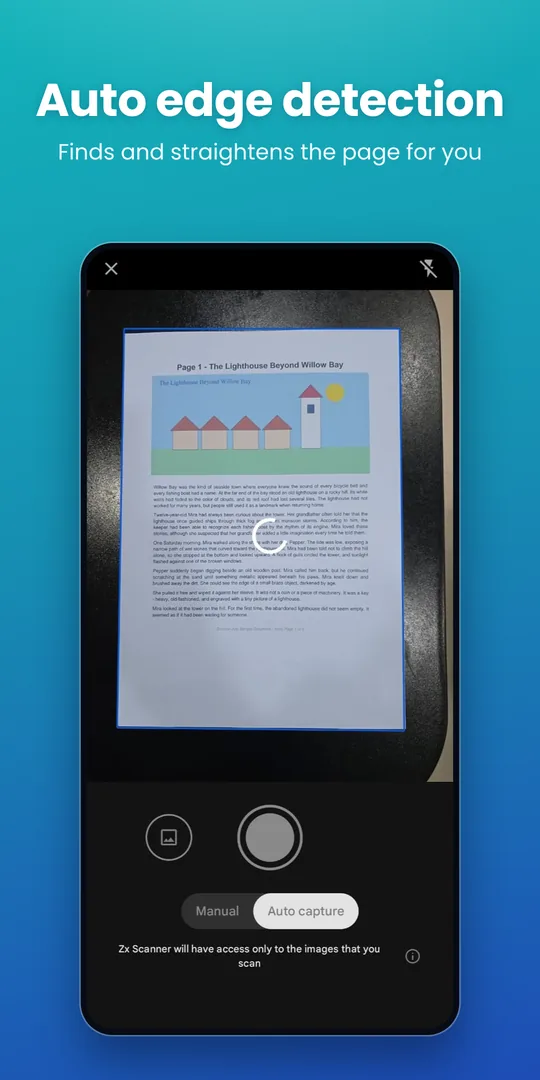
Scan with auto edge detection

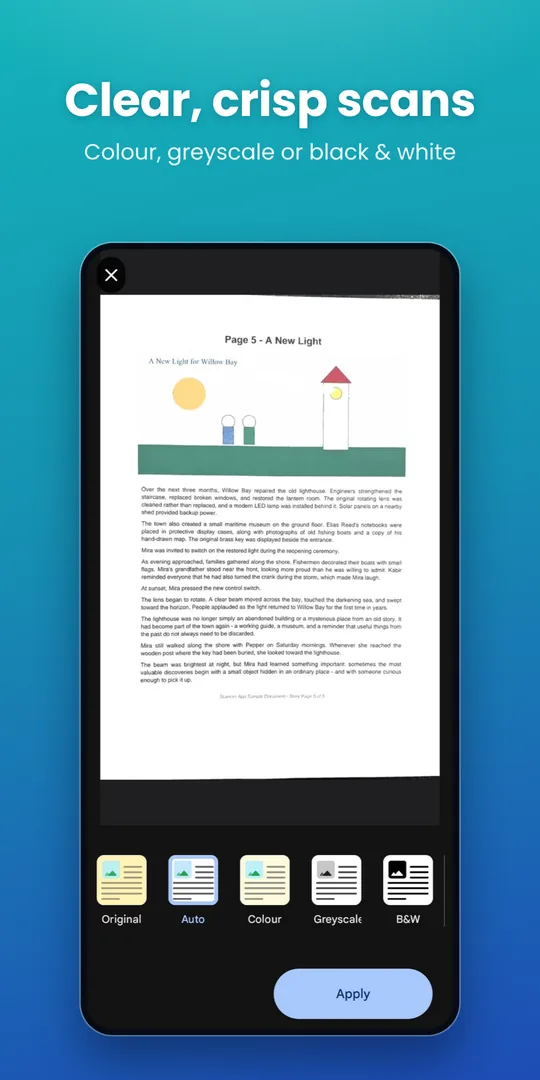
Point at the page; the edges are found and straightened for you. Colour, greyscale or black & white. Up to 10 pages per scan free, 100 with Premium.

Share in a set size P

Under 100 KB, 200 KB, 500 KB or 1 MB — straight from the share sheet. Built for the government portal that says “max 200 KB”.

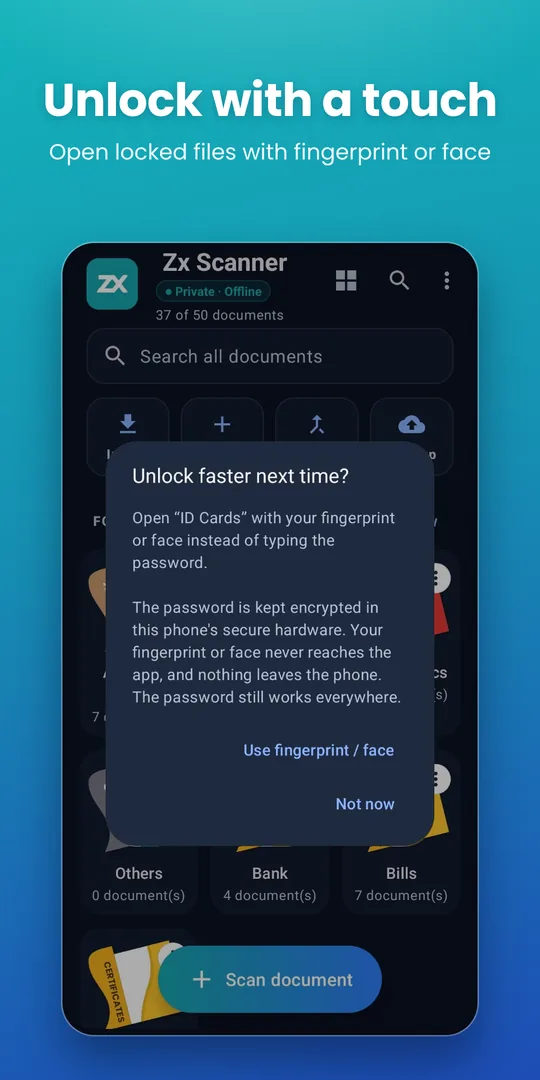
Lock files & folders

Password-protect PDFs and whole folders, then open them with your fingerprint or face. The password stays encrypted in your phone’s secure hardware.

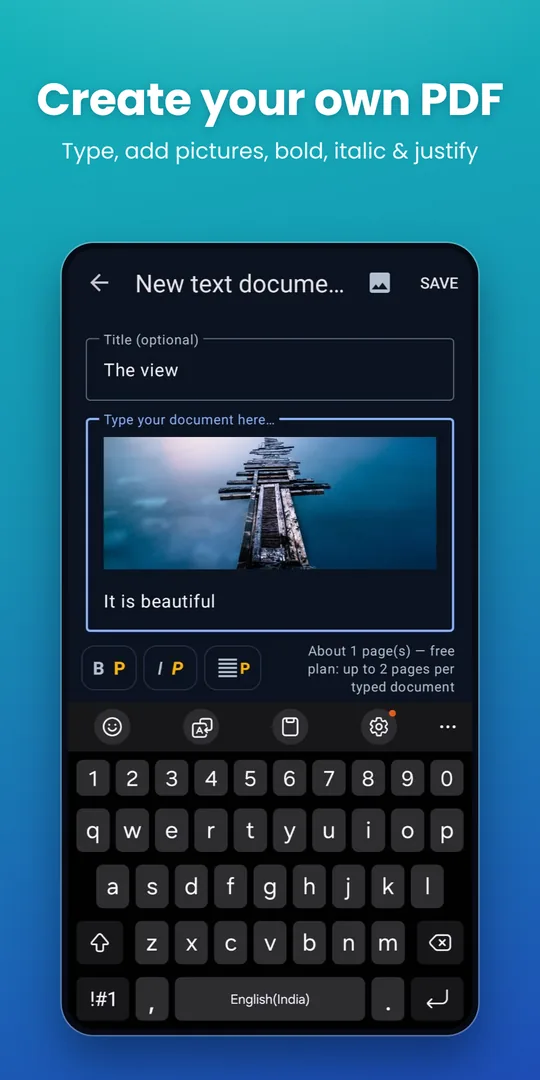
New PDF — type one from scratch

Write a letter or a note, drop in photos, and save it as a real text PDF. Bold, italic and justified text with Premium. Hindi and English both shape correctly.

Combine, split, compress

Merge PDFs into one, pull out the pages you need, or shrink a file. Free for small jobs; unlimited with Premium.

Extract text (OCR) P

Turn a scanned page into editable text — English and Hindi in one pass — without the page ever leaving the phone.

Draw, write, edit pages

Sign, highlight or add text boxes. Reorder, rotate, crop, filter, erase and retake pages with undo and redo.

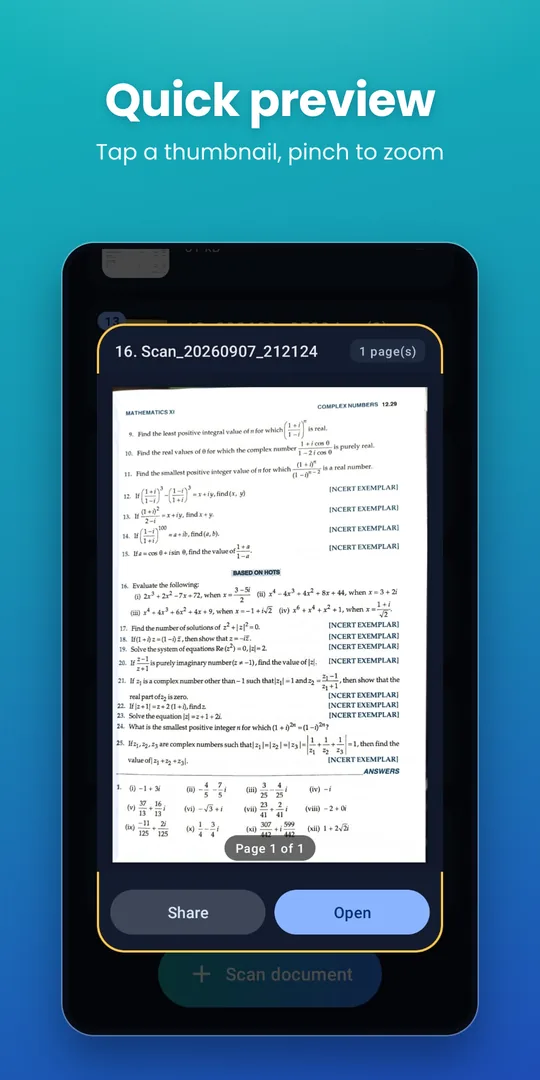
Folders, search, quick preview

Starter folders for ID cards, vehicle and academic documents; search every file by name; tap a thumbnail to peek before opening.

Backup to storage you choose

One zip of all your PDFs, saved wherever you like — a folder, a card, your own cloud. Restore on any phone. We never see it.

See it in use

A quick look.

Swipe or scroll sideways →

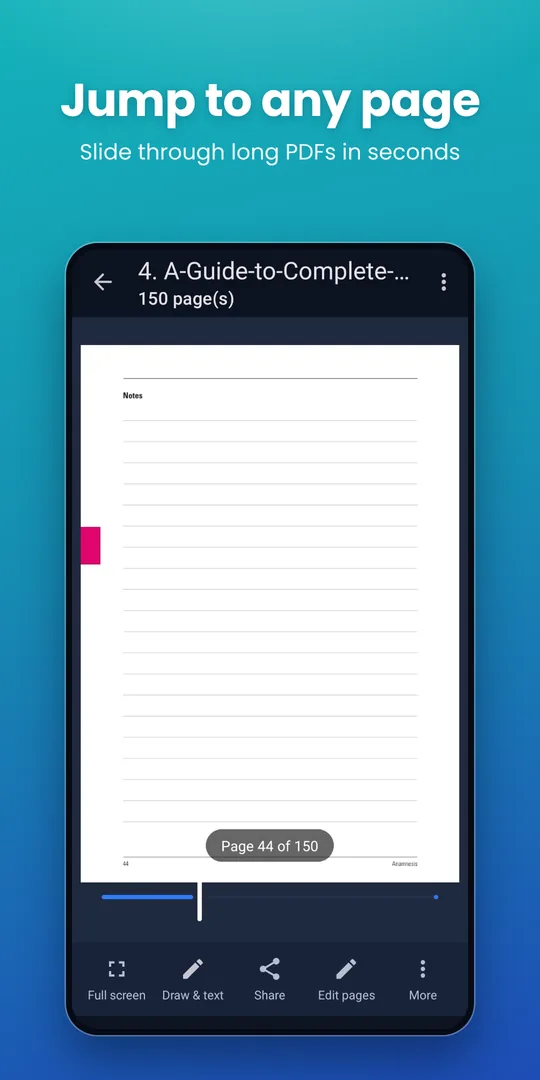
Home screen — private and offline Automatic edge detection while scanning Colour, greyscale or black and white filters Quick preview with pinch to zoom Fingerprint unlock for locked files Page slider for long PDFs Create your own PDF with pictures and formatting
You don’t have to take our word for it

Check the permissions yourself.

Android lists every permission an app asks for. Zx Scanner asks for the camera and your photos — and nothing that could carry a document off your phone.

CAMERA

To scan

Used only while you are scanning. No photo is taken without you pressing the button.

READ_MEDIA_IMAGES

To import

So you can turn photos already on your phone into PDFs, or insert them into a typed document.

USE_BIOMETRIC

To unlock

Lets you open locked files with your fingerprint or face. Android only tells the app “yes” or “no”; the app never sees your fingerprint.

INTERNET

Not requested.

The app has no way to send anything anywhere. Scanning, OCR, compression and locking all happen on the device.

What this means in practice

Your documents live in the app’s own storage on your phone. They leave only when you share, print or back them up. Premium is sold through Google Play Billing, so we never see your card details either.

The full policy

Plain language, no surprises. Read the full privacy policy.

Why we built it

Built for the upload box that says “max 200 KB”.

Anyone who has applied to an Indian government portal, a university admission form or a recruitment site knows the routine. The form wants your marksheet as a PDF under a set size. Your scan is 4 MB. The upload fails. So you search for a website that compresses PDFs.

Uploading your marksheet to a random compression site is exactly the thing you should not do — it carries your name, your photo and your roll number.

Zx Scanner is built so you never have to. Scanning, text recognition and compression all happen on your phone. Your documents are never uploaded anywhere in order to be processed, because there is nowhere for them to be uploaded to.

Share → As PDF
As is4.1 MB
Under 1 MB0.9 MB
Under 500 KB480 KB
Under 200 KB190 KB ✓
Under 100 KB98 KB
Done on the phone. Nothing uploaded.
What you get

Free to use. Premium when you need more.

Free

₹0 no cost · no ads
  • Scan to PDF with automatic edge detection — up to 10 pages per scan
  • Full page editor — reorder, rotate, crop, filter, clean up, erase and retake, with undo and redo
  • Draw, write and add text boxes on any page (5 text boxes per page)
  • Create typed PDFs with pictures (5 documents, 2 pages each)
  • Combine up to 5 PDFs, split up to 5 pages, share as JPEG
  • Lock 2 files and 2 folders, with fingerprint unlock
  • Folders, search, quick preview, drag-to-reorder
  • Import PDFs and photos; print and share; open password-protected PDFs
  • Back up and restore to storage of your choice
  • Up to 50 documents, up to 10 MB each

Premium P

₹150 every 6 months
  • Unlimited documents, pages and file size
  • Batch scanning — up to 100 pages in one go
  • Share PDFs in a set size: under 100 KB, 200 KB, 500 KB or 1 MB
  • Extract text with OCR, in English and Hindi
  • Save pages as high-resolution JPEGs
  • Merge and split without limits; compress PDFs
  • Lock as many files and folders as you like
  • Typed PDFs of any length, with bold, italic and justified text
  • Unlimited text boxes on a page
Zx Scanner home screen for a Premium member — the app name in gold and a Premium badge

Premium members get the Zx Scanner title in gold — a small thank-you, right on the home screen.

If Premium ends, nothing is deleted. Your documents stay exactly where they are; only the free-plan limits apply to new work.

Zx Premium — billing terms

Price
₹150 every 6 months · auto-renewing · inclusive of tax
Sold through
Google Play Billing. Google is the seller and handles the payment; we never receive or store your card or bank details.
Product ID
zx_premium
Billing period
6 months, renewing automatically until you cancel.
Delivered
Immediately. Premium features unlock in the app as soon as Google confirms the purchase.
Cancelling
Any time, from Subscriptions in the Google Play Store app. You keep Premium until the period you paid for runs out.
Refunds
Handled under Google Play’s refund policy. See our refund and cancellation policy.
Questions

Frequently asked.

Where are my documents stored?

In Zx Scanner’s own private storage on your phone. Nothing is copied to any server — the app doesn’t have the internet permission, so it couldn’t even if it wanted to. Use Backup to save a zip of everything to a place you choose.

Does it work without internet?

Yes, completely. Scanning, editing, OCR, compression and locking all run on the phone. The only time Google Play is involved is when you buy Premium.

What happens if I forget a folder password?

There is no recovery — not even for us, because the password never leaves your phone. If you set up fingerprint unlock for that folder, you can still open it that way. Keep a note of your passwords somewhere safe.

How do I cancel Premium?

Open the Google Play Store app → your profile → Payments & subscriptions → Subscriptions → Zx Premium → Cancel. You keep Premium until the end of the period you paid for, and your documents are never affected.

Does it support Hindi?

Yes. OCR reads English and Hindi (Devanagari) in one pass, and typed PDFs render Hindi text correctly.

Will it work on my tablet or foldable?

Yes — the layout adapts to larger and unfolded screens. Android 10 or newer is required.

Why is there no iPhone version?

Zx Scanner is built by one developer and is Android-only for now.

What’s new

Recent updates.

4.15 October 2026

  • Fresh, cleaner home screen with a short welcome tour
  • Tap a thumbnail for a quick preview — pinch to zoom
  • Page slider for long PDFs, also in full screen
  • Share as PDF in a set size (100 KB–1 MB) or as JPEG
  • Fingerprint / face unlock for locked files and folders
  • New PDF: add pictures; bold, italic and justified text
  • Typing is no longer hidden behind the keyboard; simpler viewer toolbar

4.14 October 2026

  • Full-screen reading mode with sharp zoom
  • Illustrated starter folders; drag a document onto a folder to move it
  • Text tool in Draw; create typed PDFs; import several files as one PDF

4.13 September 2026

  • Long-press to select several documents; Select all
  • Split / extract pages; merge up to 5 PDFs free
  • Folder password protection